Weekly setup calls
Every week, a live call walks through the setups: what each one does, how to set it up and what to watch out for, with time for your questions.
Day and time to come
The Lead Engine
The Content Engine gets you seen, and the Visibility Engine gets you found. The Lead Engine is what happens next: the open-house sign-in, the question at nine at night, the past client whose home anniversary is next week. It helps you set up the AI that makes sure each of them hears from you at the right time, in your voice, and it walks you through every step.

01Why it matters
Leads usually slip away in one of three places.

At the open house
of open-house visitors never heard back from the agent.
Mike DelPrete secret-shopper study, 2024

On the first reply
of buyers hired the first agent they spoke with. For sellers it was 59%.
Zillow Consumer Housing Trends Report, 2025

After the closing
of repeat buyers chose an agent they'd worked with before, though 79% said they'd consider their last agent again.
Zillow Consumer Housing Trends Report, 2025
02One lead
Here's what the engine does with a single sign-in. Each step is one of the setups, and you can turn them on one at a time.

Saturday, at your open house
A couple touring your listing scans the QR code on the sign and signs in on their phone.
Setup 01
Before they reach their car
Tagged with the house and what they told you, and their follow-up plan has already started.
Setup 01
That evening
They text a question. Your assistant answers it and offers two times that actually work for you, and the showing lands on your calendar.
Setup 02
Monday, 7 AM
Your two-minute morning brief tells you who to call today and why.
Setup 05
Every few days
A fresh note written for them, paced by how ready they are, until they reply. When they do, the reply comes straight to you.
Setup 03
Under contract
Every deadline is on your calendar with reminders, and a short status note goes out each week.
Setup 20
A year later
A home-anniversary note with a value check-in, at the right moment to ask who else you can help.
Setup 14And when they send a friend your way, that friend starts at the top.
An example of how the setups work together. Exact timing depends on your CRM and your AI plan.
03Setups
What each one does and how long it takes. Start with the five that catch leads, then add the rest one at a time.
Start here. These five make sure nobody who raises a hand falls through.
Find the next client before they start looking, and keep the last one close.
Walk in prepared, launch fast and keep every deal on schedule.
Four more setups cover getting found on Google and ChatGPT, a week of posts, lead magnets and ads. Those live in the Visibility Engine and the Content Engine.
04How it helps
You set these up yourself, on your own AI and your own CRM, so you understand them and they keep working. Help is there at every step.
Every week, a live call walks through the setups: what each one does, how to set it up and what to watch out for, with time for your questions.
Day and time to come

Want a hand with a specific one? Schedule a one-on-one and set it up together, step by step, on your screen with your own AI and CRM. Any setup on the list.
Ask for a one-on-one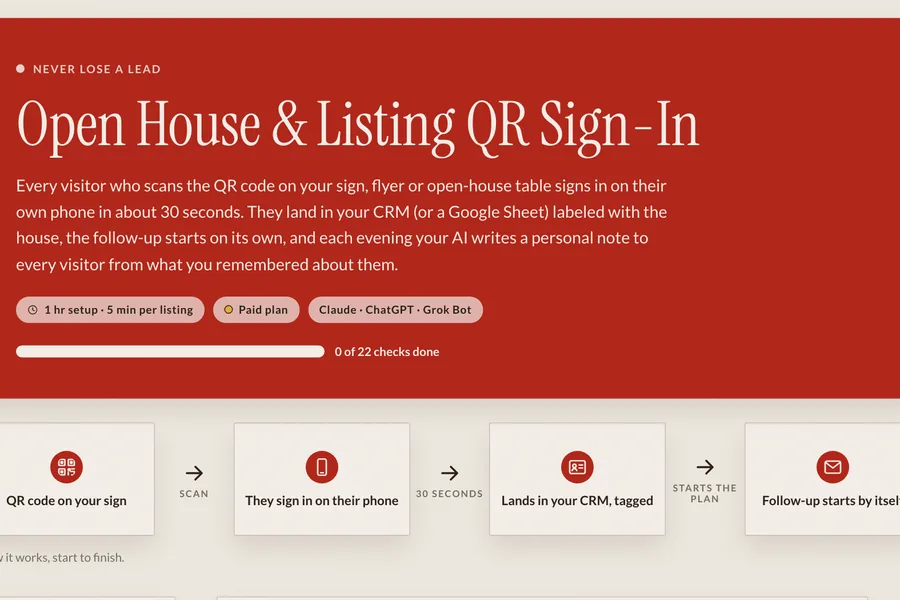
Each setup comes with its step-by-step guide, the prompts to copy, the skill file for your AI and a check that it worked. Sign up and they're yours.
Get the guidesEvery setup is written for Claude, ChatGPT and Grok Bot, with the same steps for each. Many work on a free plan; anything that runs by itself on a schedule needs a paid one.
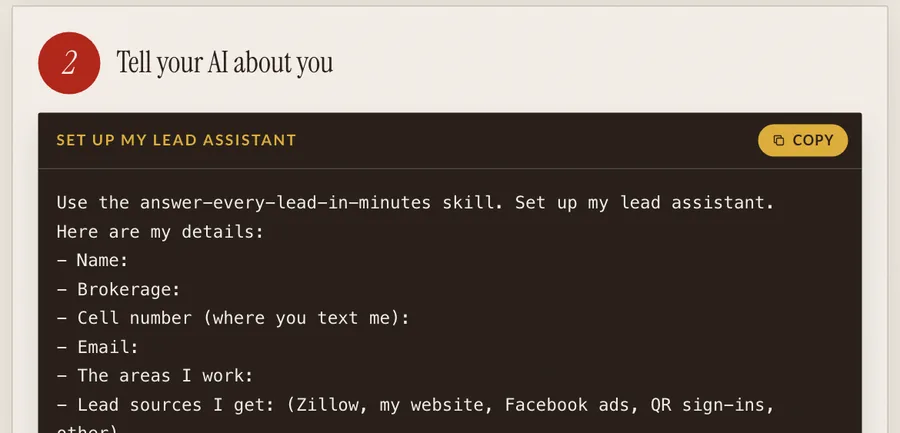
Sign-ins and texts run through your CRM, or a simple form and sheet if you don't have one yet. The AI reads it, writes for you and keeps it tidy.
Before anything goes out in your name, you approve how it sounds. After that you decide what sends on its own and what waits for your OK.
05Process
You keep the relationships. The Lead Engine helps you build everything behind them.
Enter your details and the guides unlock right away.
The setups that catch leads come first. Each takes between 45 minutes and three hours.
Bring it to the weekly call, or schedule a one-on-one if you'd rather go step by step together.
Approve how the messages sound, let it run, and add the next setup when you're ready.
06Get the guides
The step-by-step guide for every setup, free. Enter your details and they unlock right away, along with an invite to the weekly setup call.